1. Understanding Algorithms
An algorithm is a step-by-step procedure to solve a problem. It must be clear, finite, and effective.
Characteristics of a Good Algorithm
- Input – Accepts zero or more inputs
- Output – Produces at least one result
- Definiteness – Steps are precise and unambiguous
- Finiteness – Must terminate after a finite number of steps
- Effectiveness – Each step is basic and executable
Example Algorithm: Find Sum of Two Numbers
- Start
- Read A and B
- Compute Sum = A + B
- Display Sum
- End
2. Flowcharts
A flowchart visually represents an algorithm using standard symbols. It helps you understand the logic step-by-step before actual coding.
Common Flowchart Symbols (with Visuals)
Oval – Start / End
Parallelogram – Input / Output
Rectangle – Process / Calculation
Diamond – Decision
Arrow – Flow Direction
Example Flowchart: Check Whether a Number is Even or Odd
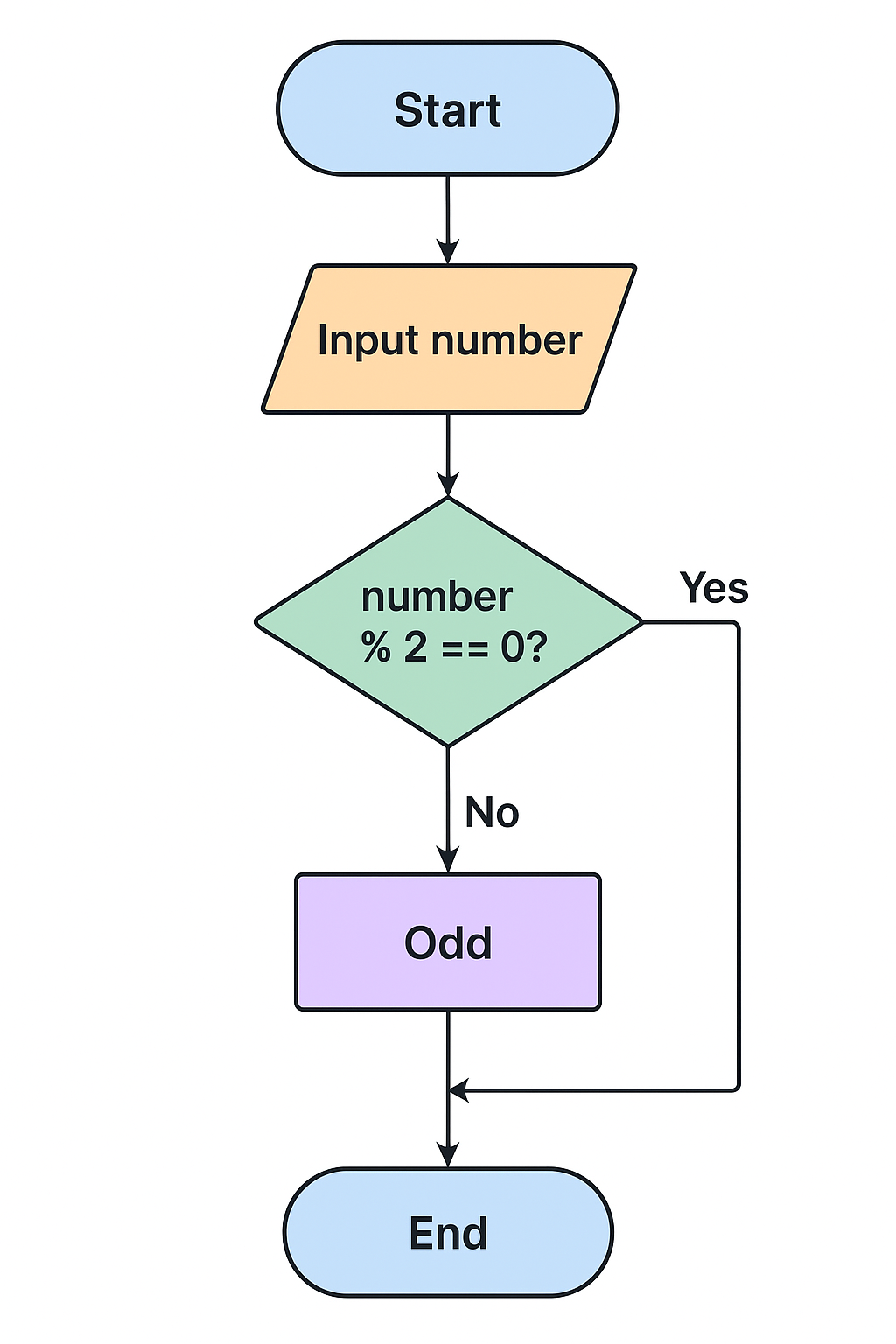
Text description of the logic:
- Start
- Input number N
- Check if N % 2 == 0
- If true → print "Even"
- If false → print "Odd"
- End
3. Decision-Making in C
Click here for in depth LessonDecision-making statements enable the program to choose different actions based on conditions.
3.1 The if Statement
if (condition) {
    // code to execute if true
}
3.2 if…else Statement
if (condition) {
    // true code
} else {
    // false code
}
3.3 Nested if Statements
if (a > 0) {
    if (a % 2 == 0) {
        printf("Positive Even");
    }
}
3.4 switch Statement
switch(choice) {
    case 1: printf("Option 1"); break;
    case 2: printf("Option 2"); break;
    default: printf("Invalid");
}
4. Control Structures in C
click here for full loops lessonControl structures determine the flow of execution—whether instructions repeat, skip, or choose a path.
4.1 Looping Structures
- for loop – used when number of iterations is known
- while loop – repeats as long as the condition is true
- do…while loop – ensures the loop runs at least once
// for loop example
for (int i = 1; i <= 5; i++) {
    printf("%d ", i);
}

// while loop example
int i = 1;
while (i <= 5) {
    printf("%d ", i);
    i++;
}

// do-while example
int j = 1;
do {
    printf("%d ", j);
    j++;
} while (j <= 5);
4.2 Jump Statements
- break – exits a loop or switch
- continue – skips the current iteration
- goto – jumps to a labeled statement (generally avoided)
// break example
for (int i = 1; i <= 10; i++) {
    if (i == 5) break;
    printf("%d ", i);
}
5. Example Program Using Decision Making & Loops
#includeint main() { int n; printf("Enter a number: "); scanf("%d", &n); if (n < 0) { printf("Negative number\n"); } else if (n == 0) { printf("Zero\n"); } else { printf("Positive number\n"); } printf("Counting from 1 to %d:\n", n); for (int i = 1; i <= n; i++) { printf("%d ", i); } return 0; }